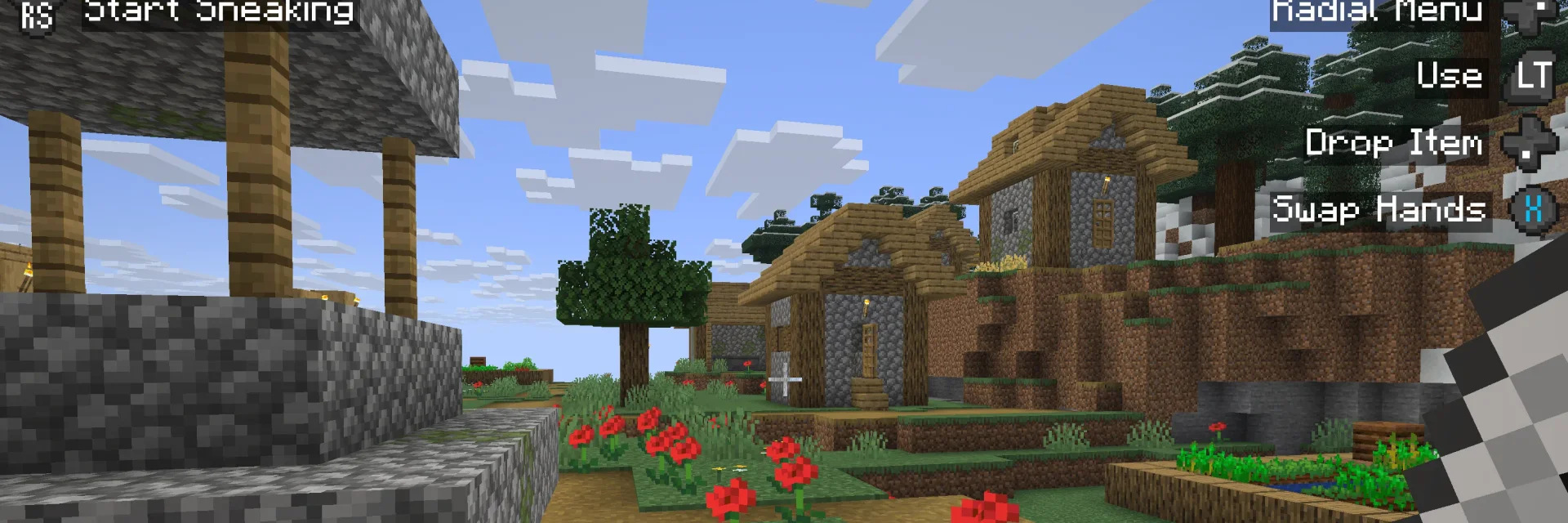

Controlify (Controller support)
為 Minecraft 加入完整的控制器支援,包含搖桿視角、震動、陀螺儀、按鍵配置、虛擬滑鼠與輪盤選單。
機器翻譯・待校對NeoForgeFabricMinecraft 1.20.1–26.3
最後更新 2026 年 11 月 28 日
controlify
100
控制器支援 控制器 手把 搖桿支援
這個模組最新版本身已有約 77% 的繁中翻譯,本站補上它在各版本缺少的 151 條,裝了之後兩邊會一起生效。
這份翻譯是機器自動翻的,還沒有人檢查過,看到不通順的地方歡迎幫忙修正。
下載繁中資源包
✓ 完整翻譯· 已翻譯 151 / 151 條
安裝方式
- 下載資源包 .zip(不用解壓縮)。
- 放進 Minecraft 的 resourcepacks 資料夾。
- 在遊戲「選項」的「資源包」中啟用,語言設為「繁體中文(台灣)」。
譯文預覽
顯示前 50 條,共 151 條
| 原文 | 譯文 |
|---|---|
%1$s controlify.placeholder | %1$s |
Keyboard & Mouse controlify.gui.carousel.entry.keyboard_mouse | 鍵盤與滑鼠 |
Your controller may not support %s. controlify.gui.not_supported | 你的控制器可能不支援%s。 |
Look Input Curve controlify.gui.look_input_curve | 視角輸入曲線 |
Adjusts how the look input from the joystick is interpreted. A linear curve means the look speed is directly proportional to how far the joystick is pushed. A more exponential curve means small movements of the joystick result in smaller look speeds, and larger movements result in much larger look speeds. controlify.gui.look_input_curve.tooltip | 調整搖桿視角輸入的詮釋方式。線性曲線代表視角速度與搖桿推動幅度成正比;越接近指數的曲線,小幅推動搖桿時視角速度越慢,大幅推動時視角速度則快上許多。 |
Guide Verbosity controlify.gui.guide_verbosity | 提示詳細程度 |
How much information is shown in button guides. controlify.gui.guide_verbosity.tooltip | 按鍵提示顯示的資訊量。 |
Controlify controlify.gui.show_keyboard.controlify | Controlify |
Your controller '%s' is on %s. Please charge it soon. controlify.toast.low_battery.message | 你的控制器「%s」電量為%s,請盡快充電。 |
Xbox controlify.controller_theme.xbox_one | Xbox |
PS4 controlify.controller_theme.dualshock4 | PS4 |
Steam Deck controlify.controller_theme.steam_deck | Steam Deck |
GUI Secondary Navi Down controlify.binding.controlify.gui_secondary_navi_down | GUI 次要導覽向下 |
GUI Secondary Navi Up controlify.binding.controlify.gui_secondary_navi_up | GUI 次要導覽向上 |
GUI Secondary Navi Left controlify.binding.controlify.gui_secondary_navi_left | GUI 次要導覽向左 |
GUI Secondary Navi Right controlify.binding.controlify.gui_secondary_navi_right | GUI 次要導覽向右 |
Debug controlify.binding_category.debug | 除錯 |
Reduced controlify.guide_verbosity.reduced | 精簡 |
Minimal controlify.guide_verbosity.minimal | 最少 |
Move %s to the %s and quickly release it. controlify.gui.mapping_maker.instruction.axis | 將%s往%s推動,並迅速放開。 |
left controlify.gui.mapping_maker.instruction.axis_left | 左 |
right controlify.gui.mapping_maker.instruction.axis_right | 右 |
up controlify.gui.mapping_maker.instruction.axis_up | 上 |
down controlify.gui.mapping_maker.instruction.axis_down | 下 |
Shift controlify.keyboard.special.shift | Shift |
Shift Lock controlify.keyboard.special.shift_lock | Shift 鎖定 |
Enter controlify.keyboard.special.enter | Enter |
Del controlify.keyboard.special.backspace | Del |
Tab controlify.keyboard.special.tab | Tab |
← controlify.keyboard.special.left_arrow | ← |
→ controlify.keyboard.special.right_arrow | → |
↑ controlify.keyboard.special.up_arrow | ↑ |
↓ controlify.keyboard.special.down_arrow | ↓ |
Copy All controlify.keyboard.special.copy_all | 全部複製 |
Paste controlify.keyboard.special.paste | 貼上 |
Previous Layout controlify.keyboard.special.previous_layout | 上一個配置 |
Use your mouse or controller to turn controlify.tutorial.look.description | 使用滑鼠或控制器來轉動視角 |
Use %s and %s to move the text cursor controlify.hint.keyboard_cursor_movement | 使用 %s 和 %s 移動文字游標 |
Use %s and %s to navigate through command suggestions, and %s to select them controlify.hint.command_suggester | 使用 %s 和 %s 瀏覽指令建議,並使用 %s 選取 |
Press %s to open keyboard controlify.hint.edit_box_keyboard | 按下 %s 開啟鍵盤 |
Use %s and %s to change lines controlify.hint.sign_line_change | 使用 %s 和 %s 切換行 |
Linear controlify.input_curves.linear | 線性 |
Gentle (exp 1.5) controlify.input_curves.gentle | 柔和(指數 1.5) |
Standard (exp 2.0) controlify.input_curves.standard | 標準(指數 2.0) |
Strong (exp 2.5) controlify.input_curves.strong | 強烈(指數 2.5) |
Cubic (blend 0.5) controlify.input_curves.precision_cubic | 立方(混合 0.5) |
S-Curve controlify.input_curves.s_curve | S 形曲線 |
Switch Profile controlify.gui.carousel.entry.swap_profile | 切換設定檔 |
Profile %s controlify.gui.carousel.entry.profile | 設定檔 %s |
Profile %s: %s controlify.gui.carousel.entry.named_profile | 設定檔 %s:%s |